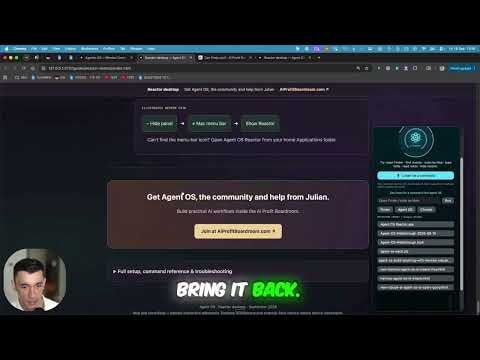
Build a Jarvis-style HUD for your Mac with Agent OS.
Julian Goldie Agency30 September 2026Watch on YouTube
Part of series
Ep. 11 · Bouw een spraak-AI HUD voor Mac
Stap-voor-stap tutorials voor het bouwen van een stemgestuurde AI HUD-overlay die alle Mac-apps aanstuurt.
View the seriesWhat you'll learn
- You learn to build a Jarvis-style HUD overlay for macOS with Agent OS.
- The HUD floats over every application while you work.
- You control the assistant by voice for hands-free computer operation.
- You manage files and apps through the assistant.
- You connect AI models such as Hermes and Claude for automated workflows.
Frequently asked questions
What do you build in this walkthrough?
How do you control the desktop assistant?
Which AI models can you connect?
What can you automate with this setup?
Topics
Read next
Hermes Agent OS: modulair AI-systeem rond lokale geheugenkluizen
Een agentair besturingssysteem dat draait rond een lokale Obsidian-geheugenkluis stelt gebruikers in staat hun gegevens onder controle te houden terwijl ze flexibel nieuwe AI-modellen kunnen integreren.
Video vergelijkt agent-harnessen en lokaal Agent OS-geheugensysteem
Een video bespreekt waarom een lokaal draaiend Agent OS veiliger zou zijn dan VPS-hosting en vergelijkt harnessen als Hermes, Claude Code en DeepSeek met een Obsidian-gebaseerd geheugensysteem.
Promotievideo over automatisering met Jev AI en Claude
Een video belooft snellere en goedkopere workflows door Jev AI via OpenRouter met Claude te combineren.
Een golf van nieuwe AI-agenttools kondigt zich aan rond begin september 2026
Rond 4 september 2026 werden meerdere nieuwe AI-agentframeworks en ontwikkelaarstools gelanceerd of bijgewerkt, van GitHub's multi-model orchestratiepreview HydraFusion tot gespecialiseerde tools voor locatiedata, beveiliging en gedeelde terminal-omgevingen.
Rabbit brengt AI-agent OS3 uit zonder eigen hardware nodig
Rabbit introduceert een zelfstandige AI-agent die in de cloud draait en lokaal werkt op Windows-, Mac- en Linux-apparaten, zonder de R1-hardware.
Hands-on: Meta's AI-agent Muse en het uitgeven van geld
Een test van Meta's AI-agent Muse beschrijft hoe de assistent taken oppakt, waaronder het doen van aankopen.
Description from the channel
Want to make money and save time with AI? Join here: https://www.skool.com/ai-profit-lab-7462/about Experience the ultimate desktop assistant with Agent OS. This voice-controlled HUD floats over every application, allowing seamless interaction with files, apps, and powerful AI models like Hermes and Claude. Watch the complete walkthrough to see how to build this overlay, enabling hands-free computer control and automated workflows that function just like a real-life Jarvis. #AgentOS #AIAutomation #HermesAgent #MacProductivity #VoiceControl #AIWorkflow