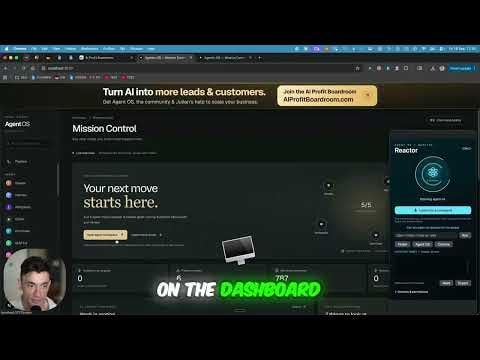
Build an AI HUD for your Mac that controls every app.
Julian Goldie Agency29 September 2026Watch on YouTube
Part of series
Ep. 7 · Bouw een spraak-AI HUD voor Mac
Stap-voor-stap tutorials voor het bouwen van een stemgestuurde AI HUD-overlay die alle Mac-apps aanstuurt.
View the seriesWhat you'll learn
- You learn how to build a voice-controlled AI HUD that floats over every app on your Mac.
- You see how to open files and launch applications from the HUD without leaving your workflow.
- You learn how to command AI agents such as Claude or Hermes through the HUD.
- The walkthrough covers the full build process in Swift, from prompts and architecture to solving bugs.
- You see how a bug that kept the HUD pinned to a browser is fixed, resulting in a native, always-on desktop experience.
Frequently asked questions
What can you do with the AI HUD built in this video?
In which programming language is the HUD built and what does the walkthrough cover?
Which bug is addressed in the video?
Do you have to leave your workflow to use the HUD?
Topics
In this video

Read next
Isar Aerospace brengt raket voor het eerst vanuit West-Europa in een baan om de aarde
Het Duitse Isar Aerospace heeft op 5 september 2026 zijn Spectrum-raket succesvol in een baan om de aarde gebracht vanuit Noorwegen. Het is de eerste keer dat een commercieel bedrijf een orbitale lancering vanuit West-Europa met succes uitvoert.
Robusty wil softwaretests in gewone taal laten uitvoeren door een AI-agent
Het Nederlandse startup Robusty biedt een AI-gedreven testplatform waarmee ontwikkelaars end-to-end tests schrijven in gewone taal, die vervolgens automatisch door een AI-agent in een cloudbrowser worden uitgevoerd.
De best gefinancierde onderwijsstartups van Nederland in 2026
Nederlandse startups die onder de onderwijssector worden geclassificeerd, haalden de afgelopen jaren tientallen miljoenen euro's op. Een analyse van de twaalf best gefinancierde bedrijven laat zien wat investeerders aantrekt en hoe breed de sector werkelijk is.
Video: software bouwen en verkopen met AI zonder programmeerervaring
In een YouTube-gesprek bespreekt Dave Ebbelaar zijn workflow met Claude Code en Codex, het testen van apps en beveiligingsaspecten bij het bouwen voor anderen.
Een golf van nieuwe AI-agenttools kondigt zich aan rond begin september 2026
Rond 4 september 2026 werden meerdere nieuwe AI-agentframeworks en ontwikkelaarstools gelanceerd of bijgewerkt, van GitHub's multi-model orchestratiepreview HydraFusion tot gespecialiseerde tools voor locatiedata, beveiliging en gedeelde terminal-omgevingen.
Hermes Agent OS: modulair AI-systeem rond lokale geheugenkluizen
Een agentair besturingssysteem dat draait rond een lokale Obsidian-geheugenkluis stelt gebruikers in staat hun gegevens onder controle te houden terwijl ze flexibel nieuwe AI-modellen kunnen integreren.
Description from the channel
Want to make money and save time with AI? Join here: https://www.skool.com/ai-profit-lab-7462/about Imagine having a voice-controlled HUD that floats over every app on your Mac. This custom AI interface lets you open files, launch applications, and command your AI agents like Claude or Hermes without ever leaving your workflow. This walkthrough covers the full build process, from the initial prompts and architecture to solving the bugs that keep it pinned to a browser. Learn how to leverage Swift to create a native, always-on desktop experience that responds to your voice. #AI #MacProductivity #Coding