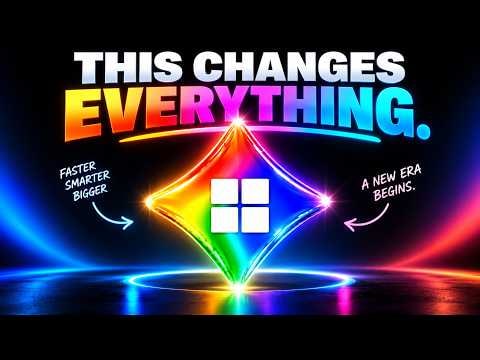
Google Just Put Gemini Inside Windows
Julian Goldie Agency20 September 2026Watch on YouTube
Part of series
Ep. 6 · Gemini Notebook updates
Overzicht van nieuwe functies in Google Gemini Notebook en Gemini in Chrome.
View the seriesWhat you'll learn
- Google released a native Gemini app for Windows that is live worldwide on Windows 10 and 11.
- With the Alt+Space shortcut you summon AI over any window, with no browser or new tab.
- The app is a full workspace with Gemini Spark, an agent that runs tasks for you.
- Gmail and Drive integration pulls summaries from your own files, and you create images with Nano Banana and video with Omni.
- Installation requires 8GB RAM, and the video covers one common setup mistake with the shortcut.
Frequently asked questions
Which Windows versions does the native Gemini app work on?
How do you summon Gemini over a window?
What is Gemini Spark in the app?
What requirements and points of attention does the video mention for installation?
Topics
In this video
Read next
De sprekers die HumanX naar Amsterdam brengen
HumanX Amsterdam opent op 22 september in de RAI met ongeveer 200 sprekers, vijf tracks en drie dagen, met oprichters van Legora, Lovable en Celonis naast enterprise-kopers van Diageo, ING en KLM.
Fortaegis haalt $50 miljoen op met de inzet dat beveiliging thuishoort in de chip, niet in de code
Vrijwel elk bedrijf dat zich voorbereidt op het quantumtijdperk doet hetzelfde: oude algoritmen vervangen door nieuwe, moeilijkere. NIST heeft de standaarden gepubliceerd, leveranciers leveren migratietrajecten, en inkoopafdelingen door heel Europa vinken de box af. Fortaegis, een Amsterdams bedrijf dat net een overtekende Series A van $50 miljoen heeft afgesloten, doet iets anders.
Euclyd haalt €200 miljoen op voor een chip die nog niemand kan kopen
Euclyd heeft nog niets op de markt. De eerste twee systemen worden in 2028 bij klanten verwacht, gevolgd door nog twee in 2029. Toch maakte het Eindhovense bedrijf op 15 september 2026 een Series A bekend van meer dan €200 miljoen, omgerekend circa $231 miljoen. Het bedrijf werd opgericht in 2024 en haalde in zijn seedronde minder dan €10 miljoen op. Investeerders kopen hier dus geen omzet.
Reaktors eerste ecosysteem-bedrijf mede-opgericht in Nederland
Reaktor Ecosystem heeft zijn eerste bedrijf in Nederland mede-opgericht: GAIA Technology Systems BV, een AI-native softwareontwikkelings-consultancy gevestigd in Amsterdam, vier maanden nadat Reaktor in mei 2026 zijn Amsterdamse hub opende.
Google klaagt Chinese cybercrimegroep aan voor AI-fraude
Google stelt dat een Chinese organisatie AI gebruikt voor frauduleuze activiteiten en stapt daarin samen met de FBI en Amerikaanse providers naar de rechter.
OpenAI mikt op lang draaiende agents met overname van Ona
OpenAI neemt Ona over, voorheen bekend als Gitpod, een startup die AI-agents laat draaien in cloud sandboxes. De overname versterkt Codex en stelt OpenAI in staat agents taken te laten uitvoeren die uren of dagen in beslag nemen.
Description from the channel
Get the Agent OS & Google Gemini Masterclass 👉 https://www.skool.com/ai-profit-lab-7462/about Want to make money and save time with AI? Join here: https://www.skool.com/ai-profit-lab-7462/about Get a FREE AI Automation Strategy Session: https://juliangoldieaiautomation.com/ Get a FREE AI SEO Strategy Session: https://go.juliangoldie.com/strategy-session?utm=julian Google just put Gemini right inside Windows — one key press pulls up AI over any window, no browser, no new tab. Here's what it does, how to turn it on, and the one setting almost everyone gets wrong on day one. 00:00 Intro – AI help one key press away 00:42 What Launched – Native Gemini app for Windows 00:58 Compatibility – Win 10/11, live worldwide 01:20 Alt+Space – Float AI over any window 01:40 Why It Works – Help where your eyes already are 02:02 Full App – A real workspace, not just chat 02:10 Gemini Spark – Agent that runs tasks for you 02:27 Gmail & Drive – Summaries pulled from your own files 03:41 Create – Images (Nano Banana) & video (Omni) 04:04 Paid Features – What needs a subscription 04:36 Windows vs Mac – What's still missing 05:07 Requirements – 8GB RAM, download safely 05:41 Shortcut Fix – The setting everyone misses