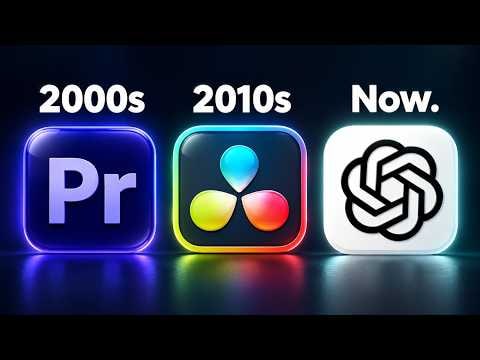
GPT-6 Astra Finally Solves AI Video Editing (full guide)
Nate Herk | AI Automation8 September 2026Watch on YouTube
Part of series
Ep. 11 · GPT-6 Astra in de Praktijk
Demonstraties van GPT-6 Astra voor UI-bouw, dashboard-generatie, computergebruik en agent-OS-ontwikkeling.
View the seriesWhat you'll learn
- You learn how to set up OpenAI Codex and Hyperframes to edit videos using plain English as the instruction language.
- You see how to connect ElevenLabs to generate transcriptions that serve as the basis for your edits.
- You discover how to build an animated intro with motion graphics, synced subtitles, and 3D animations.
- You see full editing examples for YouTube, Reels, and ads.
- You learn how to turn an editing style into a reusable skill through Hyperframes Studio.
Frequently asked questions
What do you need to edit videos with Codex and Hyperframes?
What role does ElevenLabs play in the editing workflow?
What types of content can you create with this workflow?
Can you reuse an editing style for new videos?
Topics
In this video

Read next
OpenAI aangeklaagd in zelfdodingszaak ChatGPT-gebruiker
OpenAI en ceo Sam Altman zijn in de VS aangeklaagd door een Canadese moeder die stelt dat haar dochter door ChatGPT is aangezet tot zelfdoding.
OpenAI lanceert omstreden model Astra
OpenAI stelt dat Astra een 'nieuwe grens' vormt voor computer- en browsertaken en taken uitvoert met ongeëvenaarde snelheid, nauwkeurigheid en veiligheid.
OpenAI mikt op lang draaiende agents met overname van Ona
OpenAI neemt Ona over, voorheen bekend als Gitpod, een startup die AI-agents laat draaien in cloud sandboxes. De overname versterkt Codex en stelt OpenAI in staat agents taken te laten uitvoeren die uren of dagen in beslag nemen.
OpenAI noemt GPT-6 Astra 'generatiesprong in kunnen'
OpenAI omschrijft GPT-6 Astra als een 'generatiesprong in kunnen' voor onder meer cybersecurity, software-engineering en computergebruik, en als eerste model dat de 'kritieke cybersecurity-drempel' haalt.
OpenAI boekte bijna 39 miljard dollar verlies in 2025
Volgens uitgelekte documenten liep OpenAI's verlies vorig jaar fors op tot 38,53 miljard dollar bij een omzet van 13,07 miljard dollar.
ChatGPT en Codex getroffen door storing bij OpenAI
OpenAI kampt met een storing waardoor ChatGPT en Codex slecht bereikbaar zijn; het bedrijf doet onderzoek en geeft geen details of verwachte oplossing.
Description from the channel
My playbook for growing a $1M AI agency: https://app.aiautomationsociety.ai/opaa-ads-optin My FREE resources: https://www.skool.com/ai-automation-society/about?el=astra-6-video-edit&hcategory=youtube-videos&utm_campaign=free-group My Tools💻 FREE MONTH voice to text: https://get.glaido.com/nate Code NATEHERK for 10% off VPS (annual plan): https://www.hostinger.com/vps/claude-code-hosting Hyperframes: https://github.com/nateherkai/hyperframes-student-kit Learn how to edit videos with Codex and Hyperframes using plain English. I walk through the setup, connect ElevenLabs for transcription, and build an intro with motion graphics, synced subtitles, and 3D animations. You'll also see examples of YouTube edits, reels, and ads, plus how to refine the results and turn an editing style into a reusable skill. Sponsorship Inquiries: 📧 nate@smoothmedia.co Connect with me: https://www.linkedin.com/in/nateherkelman/ https://x.com/nateherk https://www.instagram.com/nateherk/ TIMESTAMPS 0:00 What You Can Create 1:26 Editing YouTube Videos 3:05 Reels, Ads, and B-Roll 9:32 Setting Up Codex and Hyperframes 10:58 The AI Editing Workflow 13:41 Setting Up ElevenLabs 16:47 Directing the Intro Edit 22:58 Turning Edits Into Skills 23:42 Reviewing and Refining the Edit 26:33 Hyperframes Studio and Final Versions 29:14 Final Thoughts and Free Skills