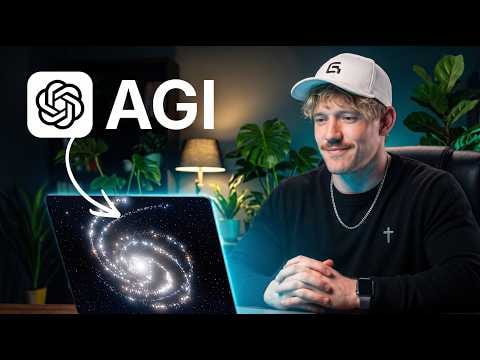
GPT-6 Astra FINALLY Solves Computer Use
Jack Roberts8 September 2026Watch on YouTube
Part of series
Ep. 10 · GPT-6 Astra in de Praktijk
Demonstraties van GPT-6 Astra voor UI-bouw, dashboard-generatie, computergebruik en agent-OS-ontwikkeling.
View the seriesWhat you'll learn
- You can use ChatGPT computer use to pull design inspiration from a website and generate alternatives with Higgsfield.
- ChatGPT can open Premiere Pro, find an insert point and drop five seconds of B-roll straight into the timeline.
- You can have ChatGPT test an app's user journey the way a real human would.
- ChatGPT can review a live website and integrate a new image into it without an API.
- Using the mirroring app, you can have ChatGPT control your phone to dig into Instagram analytics.
Frequently asked questions
Do you need an API or MCP to have ChatGPT control your computer?
Which five applications does the creator demonstrate?
Does the video also cover budget management?
Topics
Read next
OpenAI: GPT-6 Astra ontwierp in minder dan een week een hardwareapparaat
OpenAI's hardwareteam gebruikte GPT-6 Astra om in minder dan een week een apparaat voor de Codex-codingagent te ontwerpen, van behuizing tot firmware, met meerdere revisierondes vanwege productietoleranties.
OpenAI noemt GPT-6 Astra 'generatiesprong in kunnen'
OpenAI omschrijft GPT-6 Astra als een 'generatiesprong in kunnen' voor onder meer cybersecurity, software-engineering en computergebruik, en als eerste model dat de 'kritieke cybersecurity-drempel' haalt.
OpenAI deelt promptgids voor GPT-6 Astra met 'slop'-blokkadelijst
OpenAI heeft een gedetailleerde promptgids uitgebracht voor GPT-6 Astra over initiatief nemen, vermijden van AI-taal en stoppen met overmatig codetesten.
Humanoïde robots op IFA 2026, ChatGPT Images 2.5 en autonome AI-agents in één week
Op IFA 2026 toonden humanoïde robots backflips en publiekinteractie, terwijl OpenAI ChatGPT Images 2.5 uitbracht en GPT-6 Astra meerstaps agentic taken aankan. Google publiceerde tegelijk de ARDS-standaard voor AI-agents die zelfstandig webresources opsporen.
ChatGPT Voice krijgt toegang tot e-mail, agenda en Slack
ChatGPT Voice draait nu op OpenAI's nieuwe GPT-6-modellen Astra, Sol en Luna en kan via plugins onder meer e-mail, agenda en Slack gebruiken, waarmee spraakopdrachten zoals het plannen van afspraken mogelijk worden.
GPT-6 Astra hallucineert minder, blijft kwetsbaar voor hidden prompts
GPT-6 Astra blokkeert 99,99 procent van directe prompt-injecties, maar wordt in 8,5 procent van de scenario's gekraakt bij in documenten verborgen aanvallen.
Description from the channel
📈 ALL Systems (UNLIMITED Tech Support): https://bit.ly/4kol0y5 🩵 Free Resources: https://bit.ly/3RNNDLa *👋 Howdy* Hey, I'm Jack, I built and sold my last tech startup with a Gazillion customers, now I'm building AI startups and I share stuff that works. I quit my corporate job to do my start-up and have never looked back since. *💬 Overview* ChatGPT can now use your computer directly, which means you can connect it to anything even when there's no API or MCP available. You and I go through five real use cases in this one. First, pulling design inspiration from a website and generating alternatives with Higgsfield. Then getting ChatGPT to open Premiere Pro, find an insert point and drop a five second B-roll straight into the timeline. Level three is testing an app's user journey the way a real human would, level four is reviewing a live website and integrating a new image into it, and level five is controlling your phone through the mirroring app to dig into Instagram analytics. There's also a quick section on managing your usage budget and a simple chart for deciding when computer use is genuinely the right tool. If you build things with AI, this one is properly useful. *Links* 💬 ChatGPT: https://chatgpt.com/ 🎬 Higgsfield: https://bit.ly/4zZvH1v 🧑💻 Premiere Pro: https://adobe.com/uk/creativecloud/plans.html 🔥 Glaido: https://bit.ly/4eGoI3R (use code: WHSAAKXO for 1 FREE month) ⌚️ *Stamps:* 0:00 - Intro 0:38 - Level 1: Inspiration Into Design 2:51 - Level 2: AI Edits Your Timeline 5:50 - Level 3: AI Tests Your App 7:35 - Level 4: AI Improves Your Website 9:30 - Level 5: AI Controls Your Phone 10:55 - When To Use It 11:22 - What's Next If you want to learn how ChatGPT computer use and agent mode can control your computer, edit videos in Premiere Pro, generate B-roll with Higgsfield, test websites and apps, and even control your phone without an API or MCP, this video walks through all five use cases step by step. #ChatGPT #AIAgents #ComputerUse #Higgsfield #PremierePro #AITools