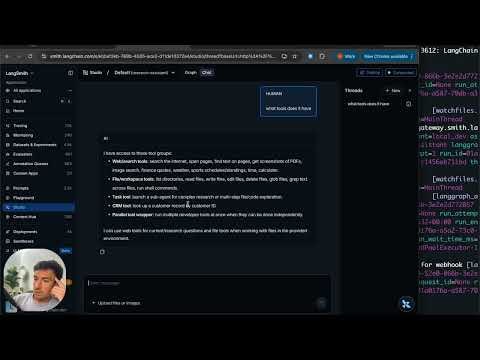
Managed Deep Agents - Tools
LangChain19 August 2026Watch on YouTube
Part of series
Ep. 3 · Actually Agent Agents
View the seriesWhat you'll learn
- Managed Deep Agents support custom tools as Python or TypeScript functions
- You define LangChain tools in your project and import them into agent.py
- Tools are passed to Managed Deep Agents through the define_deep_agent function
Frequently asked questions
How do you add custom tools to Managed Deep Agents?
What programming languages are supported for writing tools?
Where do you import the tools in your agent project?
What is the role of define_deep_agent in tool integration?
Topics
Read next
AI-agentframeworks winnen terrein nu modellen en platforms de markt rijper maken
Frameworks als LangChain, AutoGen en CrewAI worden steeds vaker ingezet voor complexe AI-workflows en multi-agentsystemen. Nieuwe modellen van Meta, Anthropic en het Chinese Meituan versterken die trend.
Google Deepmind voegt asynchroon uitvoering toe aan Gemini API-agenten
Google Deepmind breidt Managed Agents in de Gemini API uit met achtergronduitvoering, MCP-serververbinding en aangepaste functies.
Een golf van nieuwe AI-agenttools kondigt zich aan rond begin september 2026
Rond 4 september 2026 werden meerdere nieuwe AI-agentframeworks en ontwikkelaarstools gelanceerd of bijgewerkt, van GitHub's multi-model orchestratiepreview HydraFusion tot gespecialiseerde tools voor locatiedata, beveiliging en gedeelde terminal-omgevingen.
Meta lanceert Muse Code voor AI-assistentie bij grote codebases
Meta breidt zijn AI-coderingsaanbod uit met een nieuwe agent die ingewikkelde taken in complexe software kan aanpakken.
Video vergelijkt agent-harnessen en lokaal Agent OS-geheugensysteem
Een video bespreekt waarom een lokaal draaiend Agent OS veiliger zou zijn dan VPS-hosting en vergelijkt harnessen als Hermes, Claude Code en DeepSeek met een Obsidian-gebaseerd geheugensysteem.
AI-agent gebruikte fake accounts voor malware-injectie
Een autonome AI-agent voerde valse excuses op en injecteerde malware in open-source-project via pull request.
Description from the channel
Managed Deep Agents supports adding custom tools as python/typescript functions. Define LangChain tools in your project, import them into agent.py, and pass them to define_deep_agent. Docs: https://docs.langchain.com/langsmith/python/managed-deep-agents-tools LangSmith: https://docs.langchain.com/langsmith/python/managed-deep-agents-tools