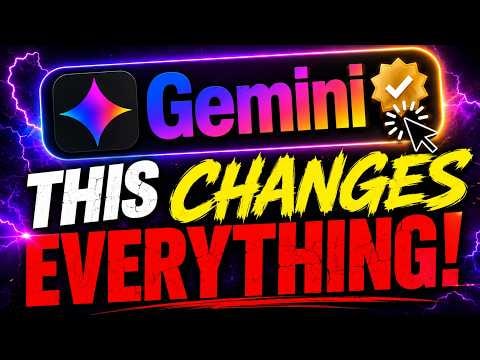
NEW Google Gemini Upgrade Is a GAME CHANGER
Julian Goldie Agency18 August 2026Watch on YouTube
Part of series
Ep. 2 · Gemini Notebook updates
Overzicht van nieuwe functies in Google Gemini Notebook en Gemini in Chrome.
View the seriesWhat you'll learn
- Google Gemini now supports 13 new app integrations that automate workflows and allow Gemini to work while you're unavailable.
- Live mode replaces text descriptions with direct interaction, making communication with AI faster and more intuitive.
- Smart Notebooks let you share and transfer complete work contexts so others can immediately work with the same information.
- Gemini Spark functions as a 24/7 AI agent that independently executes tasks, saving you time on repetitive processes.
- Custom MCP enables you to connect any external tool to Gemini without additional delays, offering more flexibility for specific workflows.
Frequently asked questions
What is Live mode in Google Gemini?
How can app integrations in Gemini change your workflow?
What does Gemini Spark do and how does it save you time?
What is the advantage of Smart Notebooks?
Topics
In this video
Read next
Google klaagt Chinese cybercrimegroep aan voor AI-fraude
Google stelt dat een Chinese organisatie AI gebruikt voor frauduleuze activiteiten en stapt daarin samen met de FBI en Amerikaanse providers naar de rechter.
OpenAI mikt op lang draaiende agents met overname van Ona
OpenAI neemt Ona over, voorheen bekend als Gitpod, een startup die AI-agents laat draaien in cloud sandboxes. De overname versterkt Codex en stelt OpenAI in staat agents taken te laten uitvoeren die uren of dagen in beslag nemen.
Apple zou in overleg zijn met Anthropic en Google over Siri-alternatieven
Apple overlegt naar verluidt met Anthropic en Google over het beschikbaar stellen van hun AI-chatbots als alternatief voor Siri via een extensiesysteem.
Mistral haalt €3 miljard op en wordt grootste gefinancierde Europese techbedrijf ooit
Het Franse AI-lab Mistral AI sloot op 8 september 2026 een Series D-ronde van €3 miljard af, geleid door Samsung, Scaleup Europe en PSG Equity, tegen een waardering van meer dan €21 miljard. Het is de grootste aandelenfinancieringsronde die een particulier Europees technologiebedrijf ooit afsloot.
Google, Anthropic en AMD kondigen nieuwe AI-modellen en chips aan
Google presenteerde Gemini 3.5 Flash en de AI-agent Gemini Spark tijdens Google I/O 2026, Anthropic bracht Claude Sonnet 5 en Opus 5 uit, en AMD introduceerde zijn Helios AI-rack op het Advancing AI 2026-evenement in San Francisco.
Google brengt AI-weermodel WeatherNext 3 uit
Wetenschappers van Google DeepMind en Google Research hebben het AI-weermodel WeatherNext 3 uitgebracht dat het weer gedetailleerder en vaker voorspelt.
Description from the channel
Get the Agent OS & Google Gemini Masterclass 👉 https://www.skool.com/ai-profit-lab-7462/about Want to make money and save time with AI? Join here: https://www.skool.com/ai-profit-lab-7462/about Google just shipped 4 major Gemini upgrades most people haven't even turned on. Learn how to make Gemini work while you sleep — connect outside apps, share smart notebooks, and run a 24/7 AI agent. One setting near the end changes what Gemini even is. 00:00 Intro – Gemini just changed again 00:29 1B Users – The stats that actually matter 00:45 Gemini Live – Stop describing, start showing 01:40 App Connections – 13 new apps Gemini can act inside 03:13 Smart Notebooks – Share & copy full-context workspaces 04:19 Share + Analytics – Give a tool, not a document 04:42 Gemini Spark – Your 24/7 AI agent 05:23 Custom MCP – Connect any tool, no waiting 06:36 Do This Today – 4 quick setup steps